Command Completion
Start typing a command to see candidates. Once the command is complete, FaiTerm continues with its subcommands and arguments.
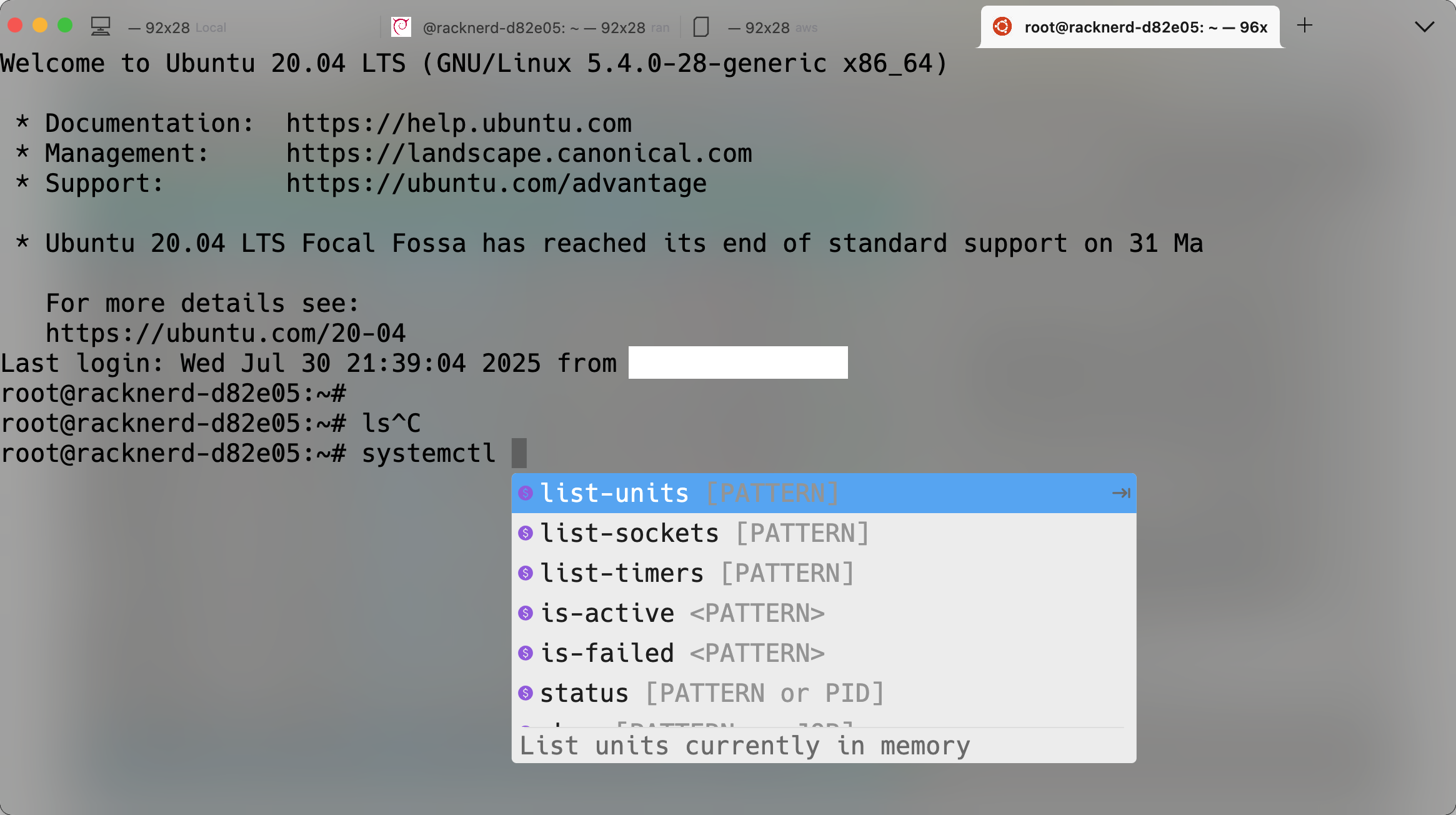
- More than 600 common commands are included and completion is enabled by default.
- Completion works in both local and SSH terminals.
- Suggestions mix command definitions, aliases, history, and paths. History entries are labeled so you can tell where a candidate came from.
- Path separators follow Windows or Unix conventions.
- Results are streamed as they are computed instead of waiting for the full list.
Working directory
Shell Integration keeps completion aligned with the terminal's current directory. On supported local terminals, FaiTerm can also read the working directory from the system when the shell does not report it, including tmux and custom shell setups.
When Trigger suggestions is disabled, the completion popup is disabled as well.
Request a suggestion
Press ⌘J to request suggestions for the current input. You can change this shortcut in Settings → Shortcuts.
Use Tab to accept a candidate, the arrow keys to navigate, and Esc to close the popup.
Platform notes
On Windows, PowerShell and
bash.exeare supported.cmd.exeis not.
Over SSH, rendering speed depends on the network and may not feel immediate.
Disable completion
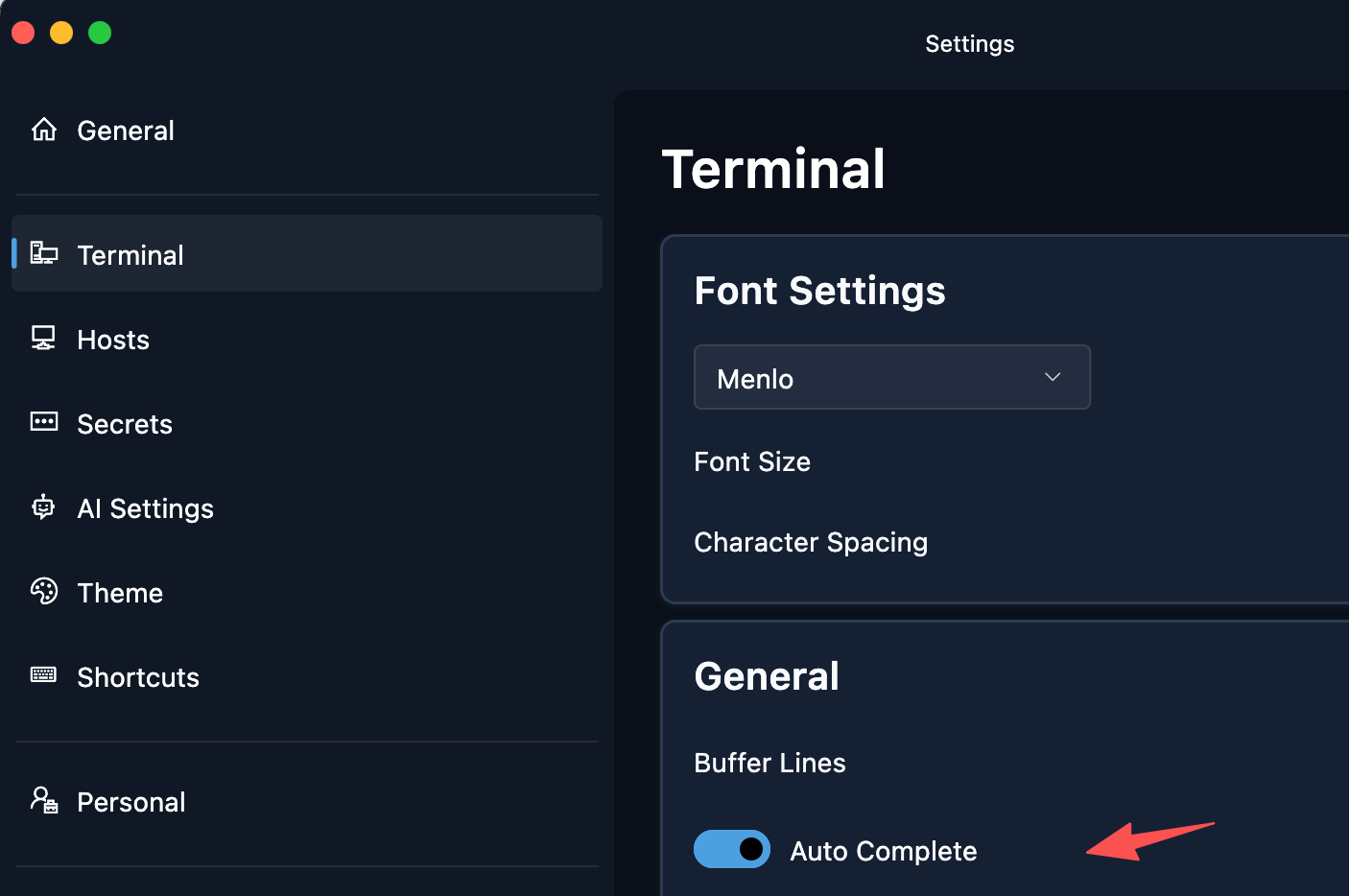
Turn completion off in Settings → Terminal if it interferes with your workflow.