
FaiTermTerminal, files, and AI — in one window.
Local terminal · SSH / SFTP · Smart completion · AI assistant & knowledge base On desktop and Android
Local terminal · SSH / SFTP · Smart completion · AI assistant & knowledge base On desktop and Android
CAPABILITIES
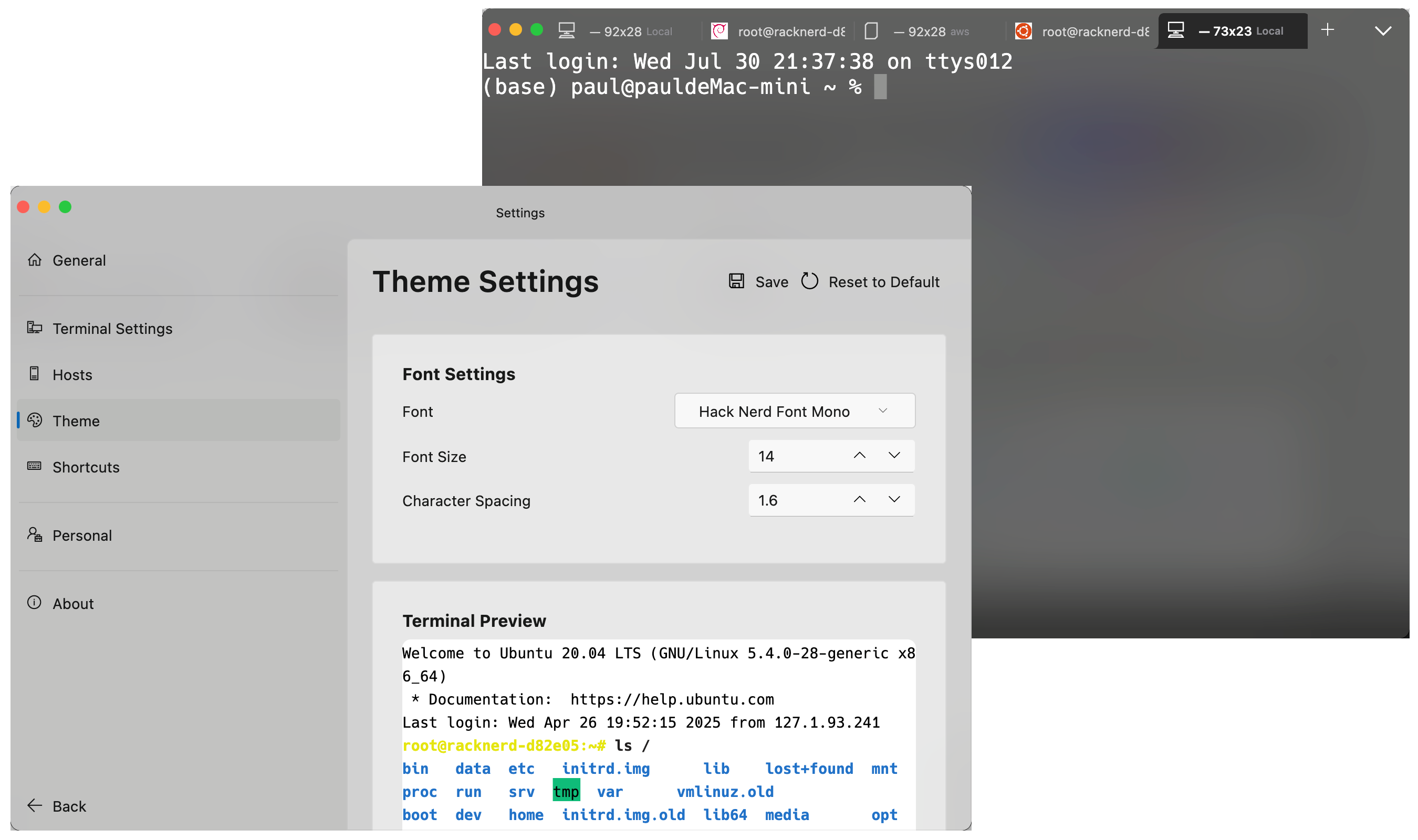
A four-pane workspace: tool rail, list column, workspace and tool collection. Panes are resizable and collapsible, with 11 app themes plus light / dark / follow-system modes, acrylic translucency and restore-last-workspace on launch.
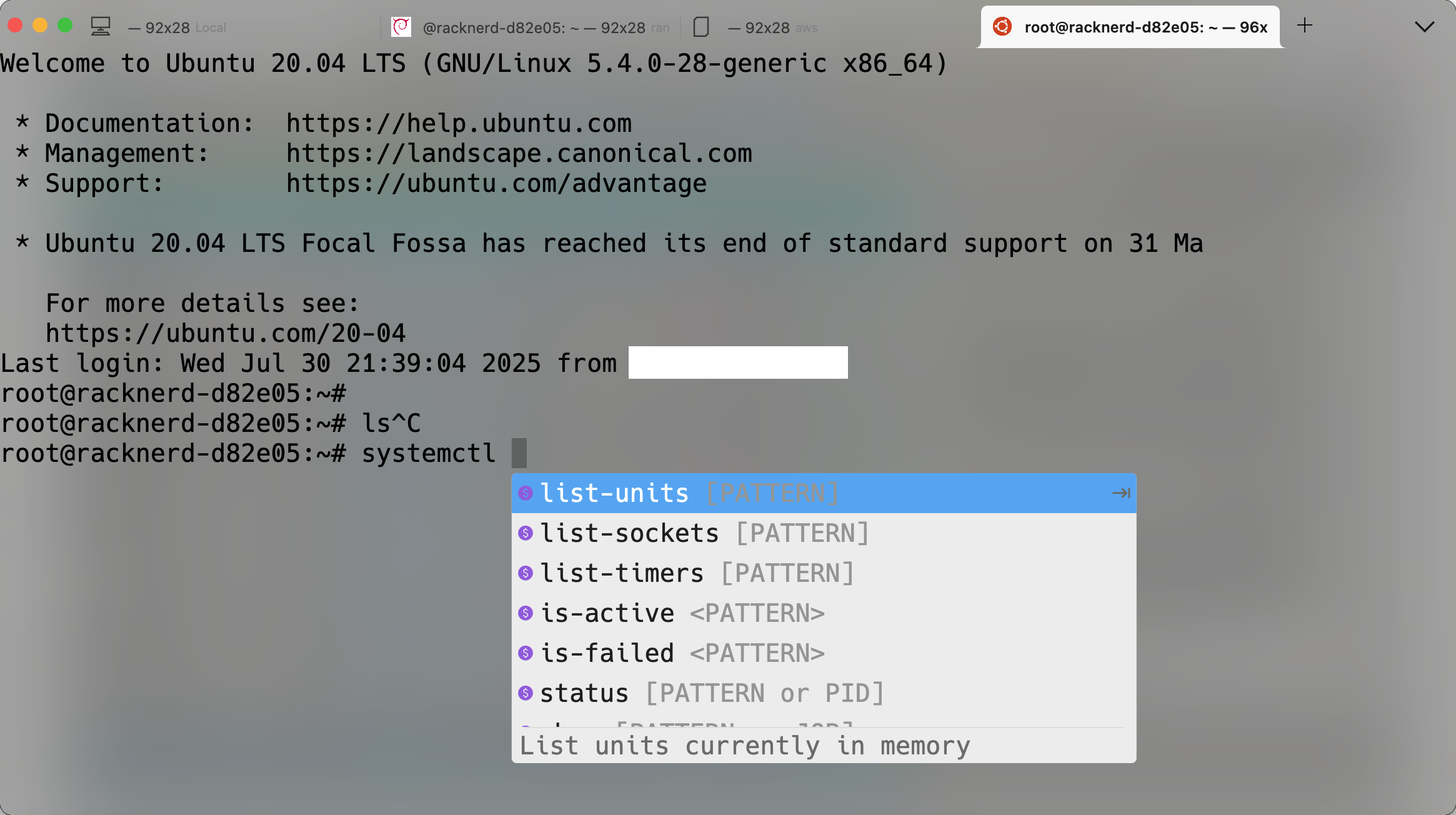
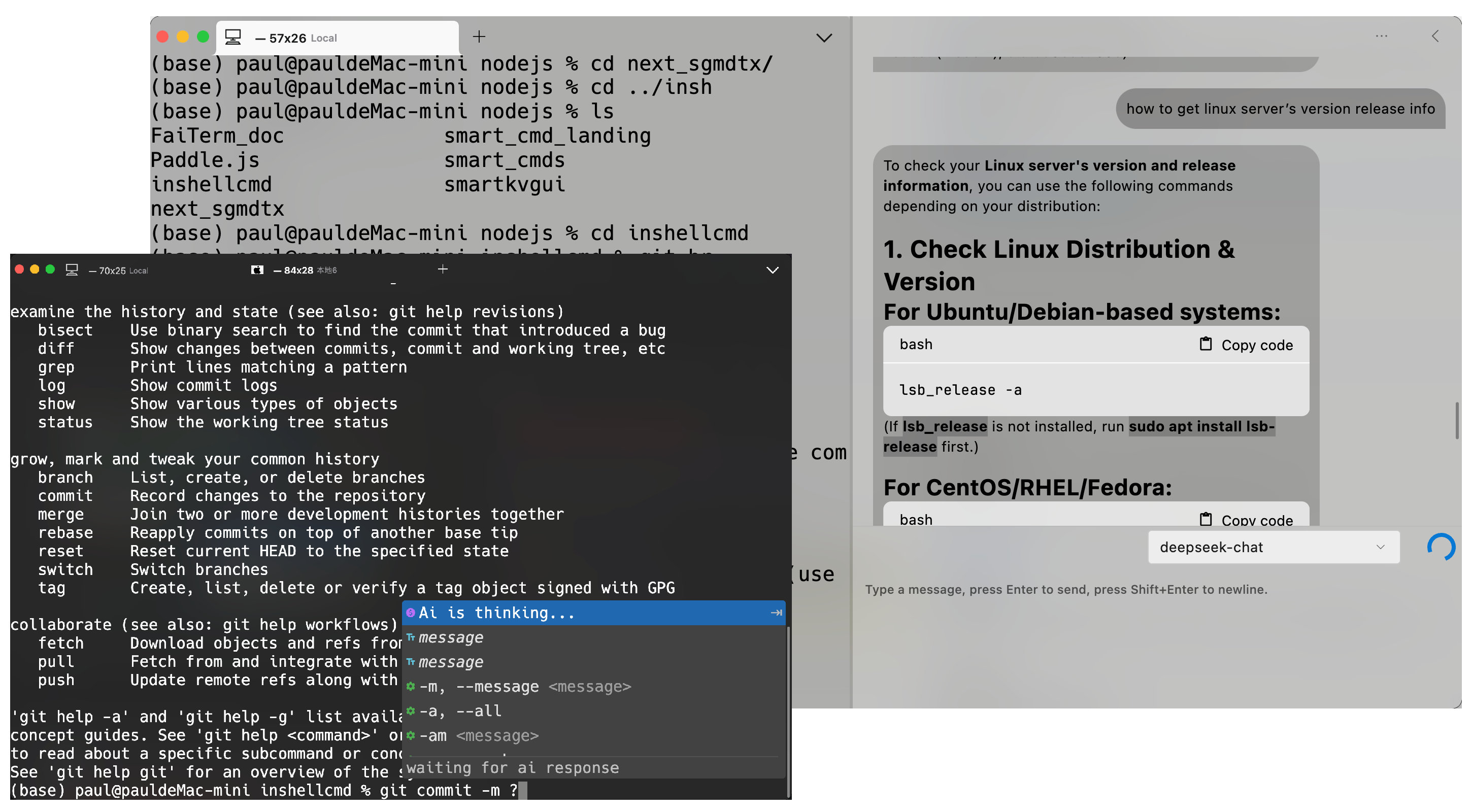
Local terminals and remote connections live in one place: SSH, SFTP, Telnet, FTP and serial share a single host list, and pasting a connection command fills in the right protocol automatically. 600+ completions, terminal highlighting, quick commands, port forwarding and a tmux toolbar.
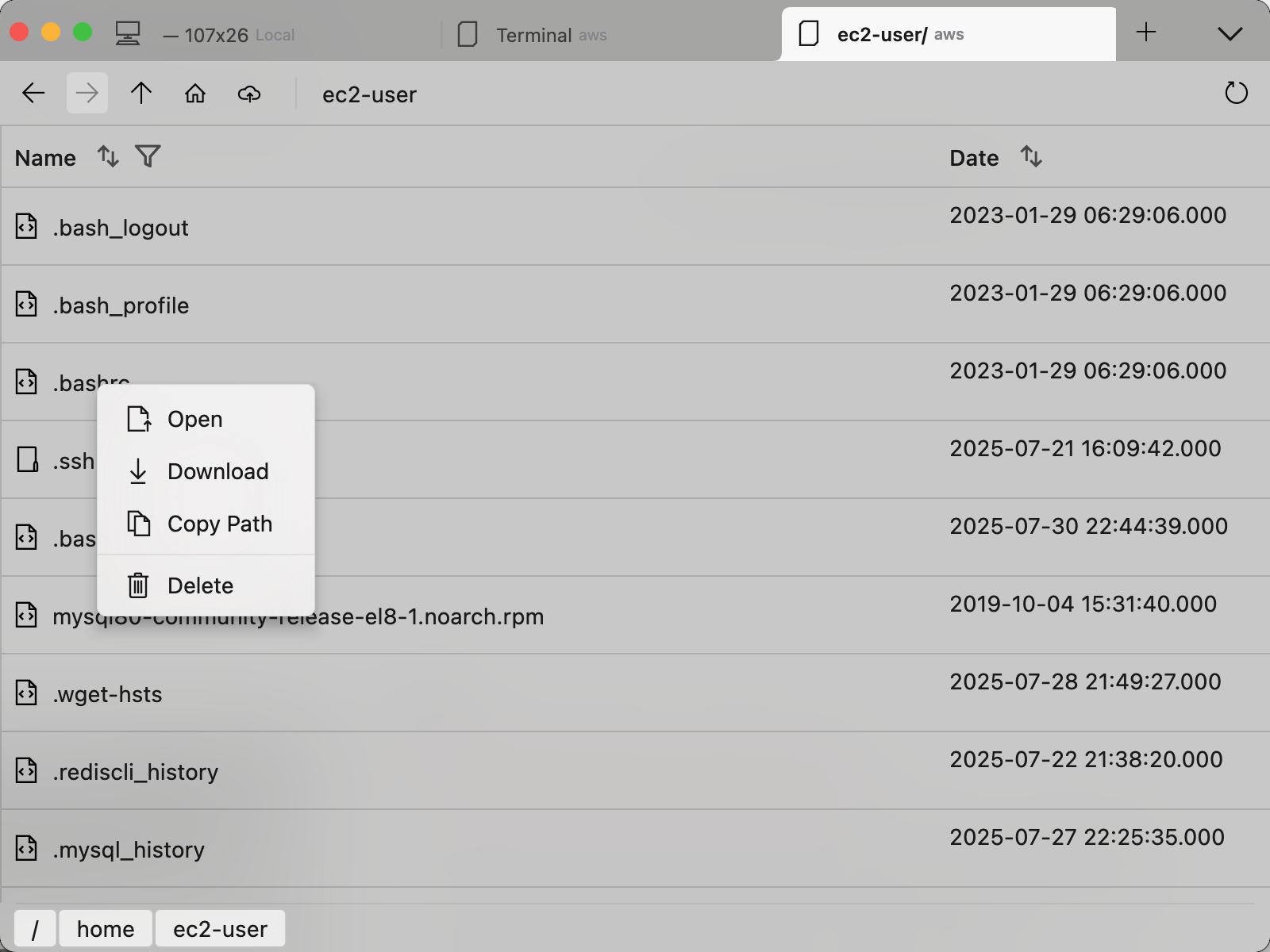
Built-in dual-pane SFTP manager (local ↔ remote) with drag-and-drop, batch operations and a transfer queue; ZModem (sz / rz) sends and receives files right inside the terminal, with progress mirrored to the Dock / taskbar and leftover files cleaned up on failure.
Ask and Agent modes — an Agent can bind to a connected terminal and run commands for you. Works with OpenAI, Anthropic, Gemini, DeepSeek, Kimi, Qwen, GLM, MiniMax, Ollama or any OpenAI-compatible endpoint, plus local MCP tools and knowledge-base retrieval.
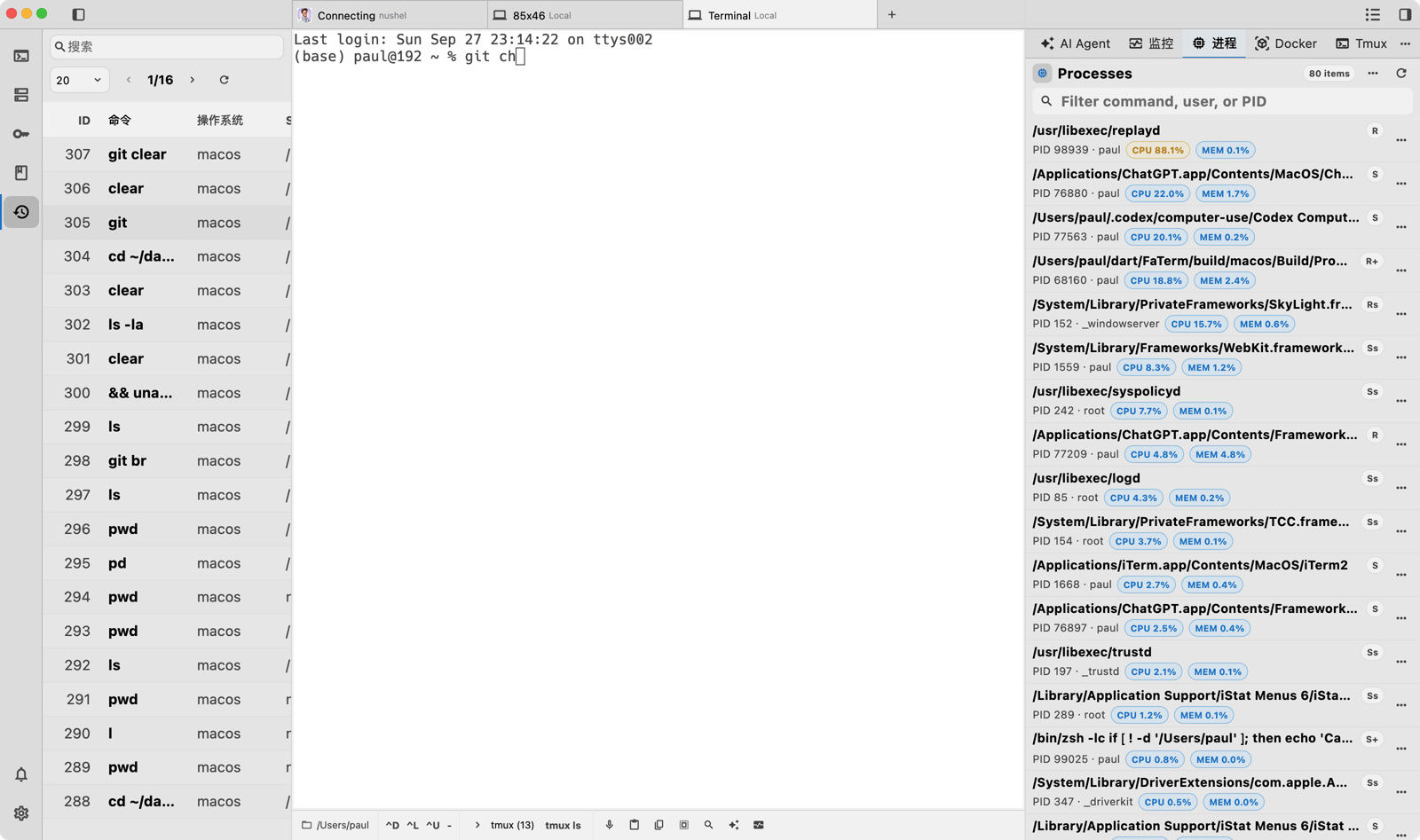
Inspect processes, services, Docker, tmux, scheduled tasks and listening ports on the host behind the current terminal; the monitor pane charts CPU, memory, disk and network in real time, for local and remote hosts alike.
DOWNLOAD
Free to use. Desktop and Android share the same configuration and knowledge base.
Major distributions
FAQ
FaiTerm is not yet signed by Apple, so Gatekeeper may block the first launch. Run the command below to strip the quarantine flag, or go to System Settings → Privacy & Security and click "Open Anyway". The installer also ships a repair script.
sudo xattr -dr com.apple.quarantine /Applications/FaiTerm.appFile management uses SFTP and drag-and-drop upload uses ZModem. Some cloud providers disable both by default — check that your server has them enabled.
It depends on the mode. With no terminal bound it runs in Ask mode and only answers questions. Bind a connected terminal and it becomes Agent mode: it analyses your request and runs commands in your environment, where every call can be approved and high-risk commands are blocked outright.
From v1.0.9 the host list and its groups use a new store (ObjectBox). Hosts saved in the old SQLite database are not migrated — back up first, or simply re-import / re-add them in the new version.
It ships with 600+ common commands and is on by default, covering both local and SSH sessions. On Windows it supports powershell, bash.exe and others — cmd.exe is not supported. Over SSH the completion UI is affected by network latency and may feel sluggish.
No. We never collect any information related to your databases. The client uses PostHog and Google Analytics to collect anonymous visitor data such as country, device type, operating system, browser type and access time.
More questions in the full FAQ →
GET STARTED
Free to use, on macOS, Windows, Linux and Android. Desktop and mobile share the same configuration.